
Client: John Christensen (États-Unis)
Date: Avril 2016
Technlogie: LibreOffice Calc, LibreOffice Basic, CSV
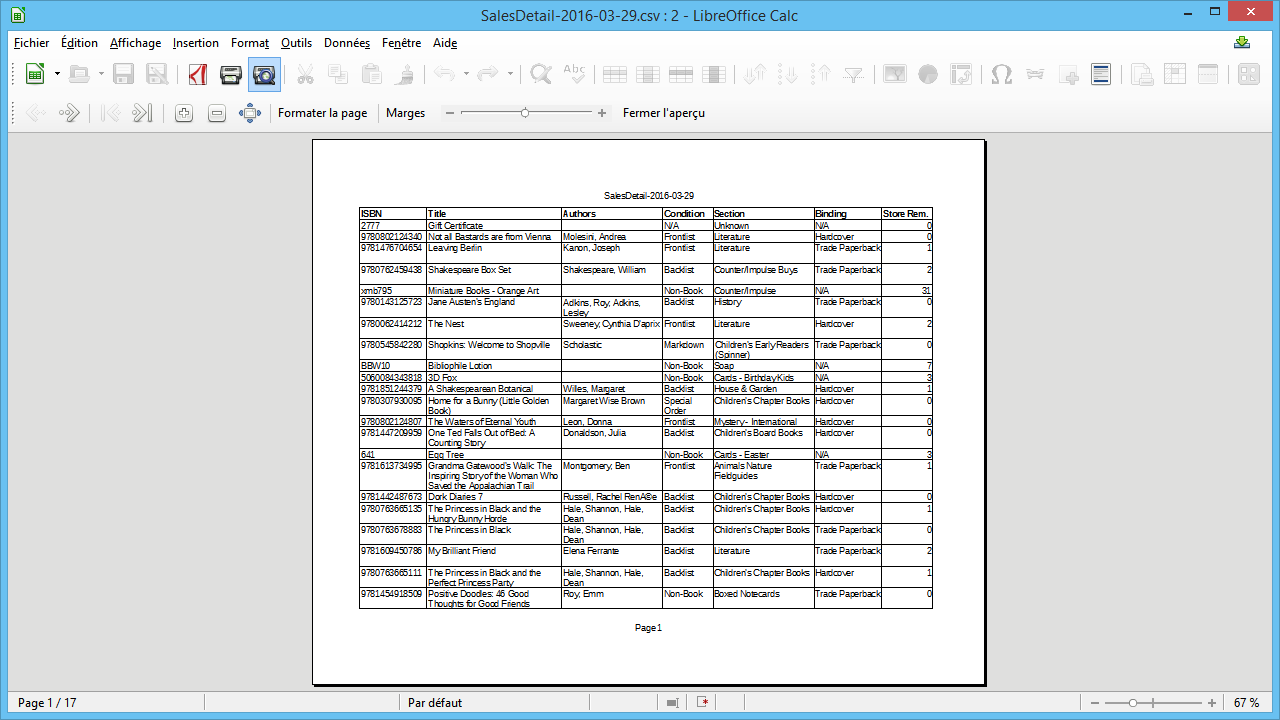
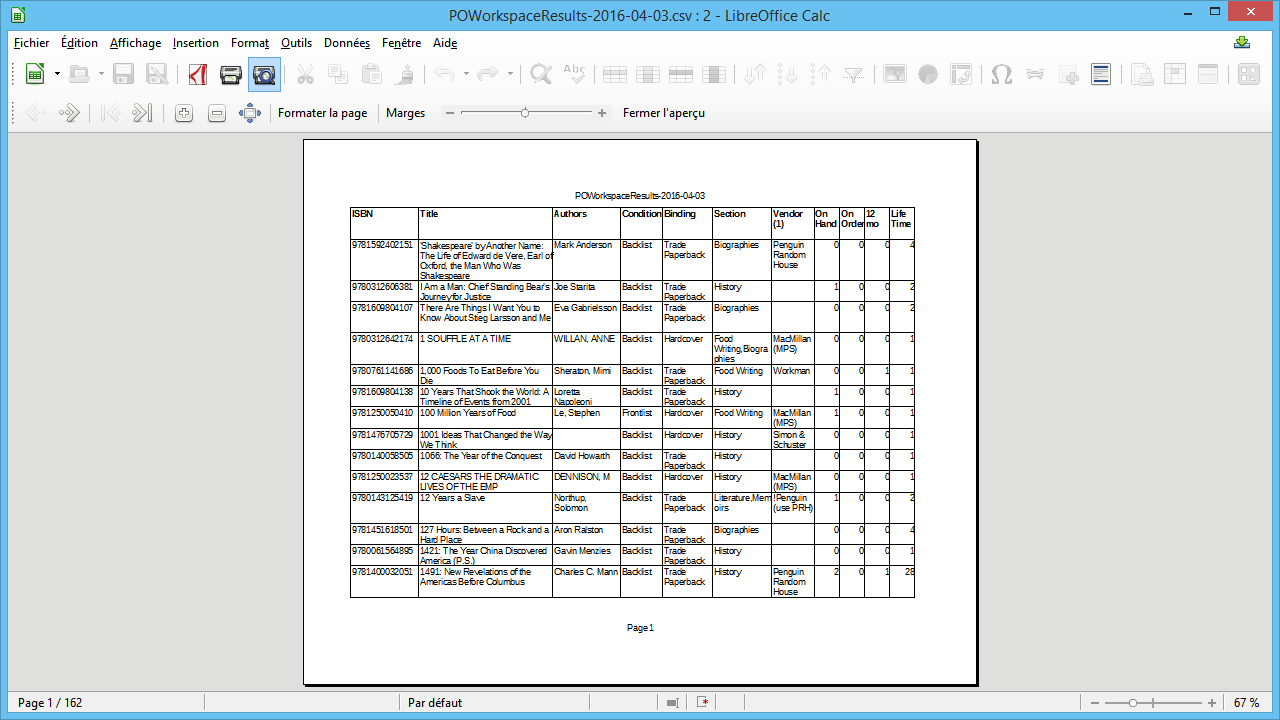
Ce projet consistait à développer des macros permettant de lire un fichier CSV dans un classeur LibreOffice Calc. Ensuite, les macros ne conservaient que les colonnes désirées, ajustaient la taille, changeaient l'ordre et enfin formattaient la page en mode paysage avec répétition des entêtes de colonnes.
Cette fonction demande le nom du fichier CSV à ouvrir.
Private Function open_file() as String

   Dim file_dialog as Object
   Dim status as Integer
   Dim file_path as String
   Dim init_path as String
   Dim ucb as object
   Dim filterNames(3) as String

   filterNames(0) = "*.csv"
   filterNames(1) = "*.*"

   GlobalScope.BasicLibraries.LoadLibrary("Tools")
   file_dialog = CreateUnoService("com.sun.star.ui.dialogs.FilePicker")
   ucb = createUnoService("com.sun.star.ucb.SimpleFileAccess")

   AddFiltersToDialog(FilterNames(), file_dialog)
   'Set your initial path here!
   init_path = ConvertToUrl("/usr")

   If ucb.Exists(init_path) Then
      file_dialog.SetDisplayDirectory(init_path)
   End If

   status = file_dialog.Execute()
   If status = 1 Then
      file_path = file_dialog.Files(0)
      open_file = file_path
   End If
   file_dialog.Dispose()

End Function
La fonction OrderColumns permet de réarranger l'ordre des colonnes. Les paramètres sont l'objet documents et un tableau des entêtes de colonnes dans l'ordre désiré.
La seconde fonction (FindColumnPosition) utilisée par la fonction précédente permet de trouver la position de la colonne à repositionner.
Private Sub OrderColumns (my_doc as object, my_Headers as variant)

	Dim oSheet as object
	Dim InsertRangeName as string
	Dim InsertRange as object
	Dim InsertRange_RangeAddress as object
	Dim iPosition as integer
	Dim oSourceRangeName as string
	Dim oSourceRange as object
	Dim oSourceRangeAddress as object
	Dim oTargetCell as object
	Dim oTargetCell_CellAddress as object
    Dim columnLetter as string
    Dim NumberOfColumns as integer
    Dim i as integer

    oSheet=my_doc.sheets(0)

	NumberOfColumns=Ubound(my_headers)+1

	For i=0 to NumberOfColumns-1
		iPosition = FindColumnPosition(my_Doc, my_Headers(i),NumberOfColumns)
		if iPosition > -1 then
		    'Insert empty column
			columnLetter= chr(asc("A")+i)
			InsertRangeName = columnLetter & "1:" & columnLetter & "65536"
			InsertRange = oSheet.getCellrangeByName(InsertRangeName)
			InsertRange_RangeAddress = InsertRange.RangeAddress
			oSheet.insertCells(InsertRange_RangeAddress, com.sun.star.sheet.CellInsertMode.COLUMNS)
			'Move column
			columnLetter= chr(asc("A")+iposition+1)
			oSourceRangeName=columnLetter & "1:" & columnLetter & "65536"
			oSourceRange = oSheet.getCellrangeByName(oSourceRangeName)
			oSourceRangeAddress = oSourceRange.RangeAddress
			oTargetCell = oSheet.getCellrangeByName(chr(asc("A")+i) & "1")
			oTargetCell_CellAddress = oTargetCell.CellAddress
			oSheet.moveRange(oTargetCell_CellAddress, oSourceRangeAddress)
			osheet.Columns.removeByIndex(iPosition+1,1)

		end if

	next i


End sub

Private Function FindColumnPosition (my_doc as object, HeaderName as string, maxColumn as integer) as integer

	Dim iCol as integer
	Dim iPosition as integer
	Dim my_cell as object
	Dim cell_value as string

	iPosition=-1
	For iCol = 0 to maxColumn-1
		my_cell = my_doc.Sheets(0).getCellByPosition(iCol,0)
		cell_value = my_cell.String
		if ucase(cell_value)=HeaderName then
			iPosition=iCol
			Exit For
	   	end if
	next iCol
	FindColumnPosition=iPosition

End Function